Pick two cacti
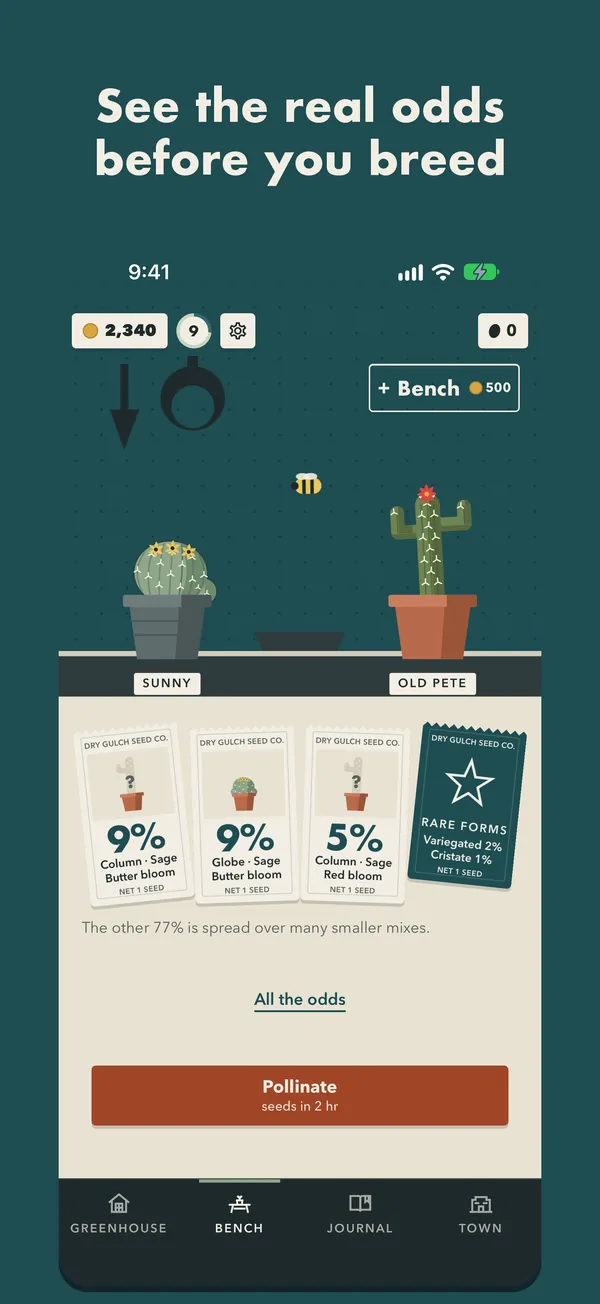
On the Bench, set two flowering cacti side by side. Before you breed, the seed packets show the true percentage for every possible seedling.
 Forgelight Studio
Desert garden · Dry Gulch
Support & help
A cozy cactus-breeding game in the frontier town of Dry Gulch. Cross two cacti, see the real odds, plant the seeds and wait for the bloom.
Coming soon to the App Store
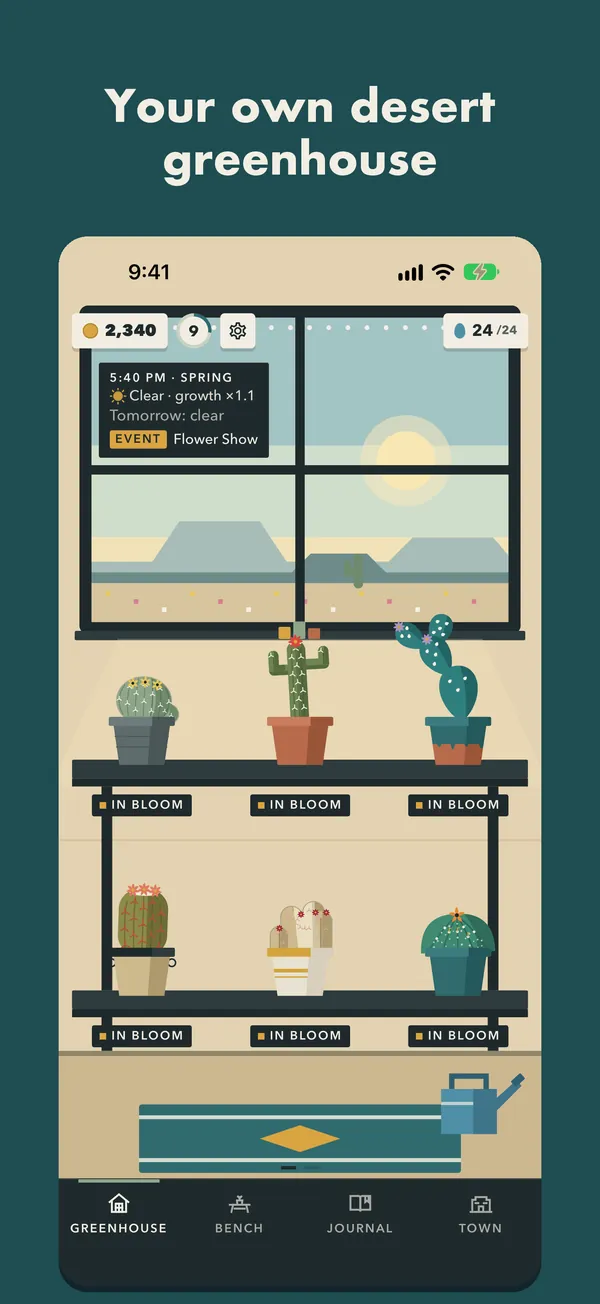
A look around
The loop
Pocket Cactus is a slow, cozy game. You breed, you plant, you wait, and something new blooms. The four tabs along the bottom are the Greenhouse, the Bench, the Journal and the Town.
On the Bench, set two flowering cacti side by side. Before you breed, the seed packets show the true percentage for every possible seedling.
Tap Pollinate and the seed pod starts to ripen. When it's ready, you collect the seeds.
Plant the seeds in the Greenhouse and water them. A thirsty cactus just waits for you; nothing ever dies.
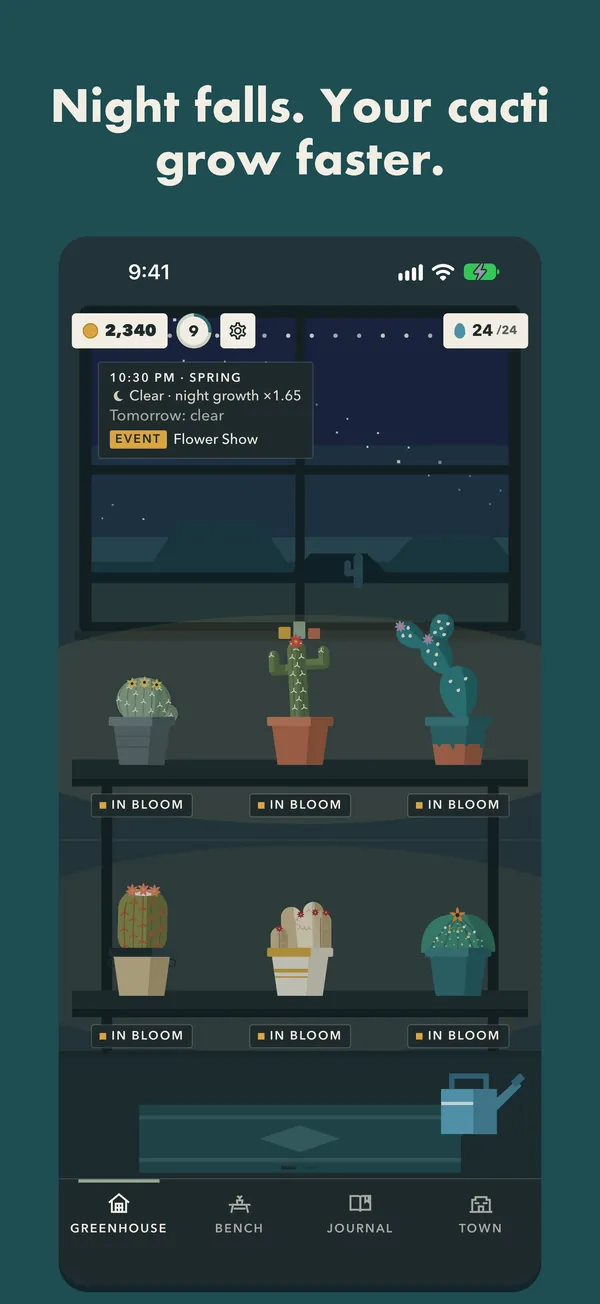
Your cacti grow in real time, even while the app is closed, and they grow faster under the night sky.
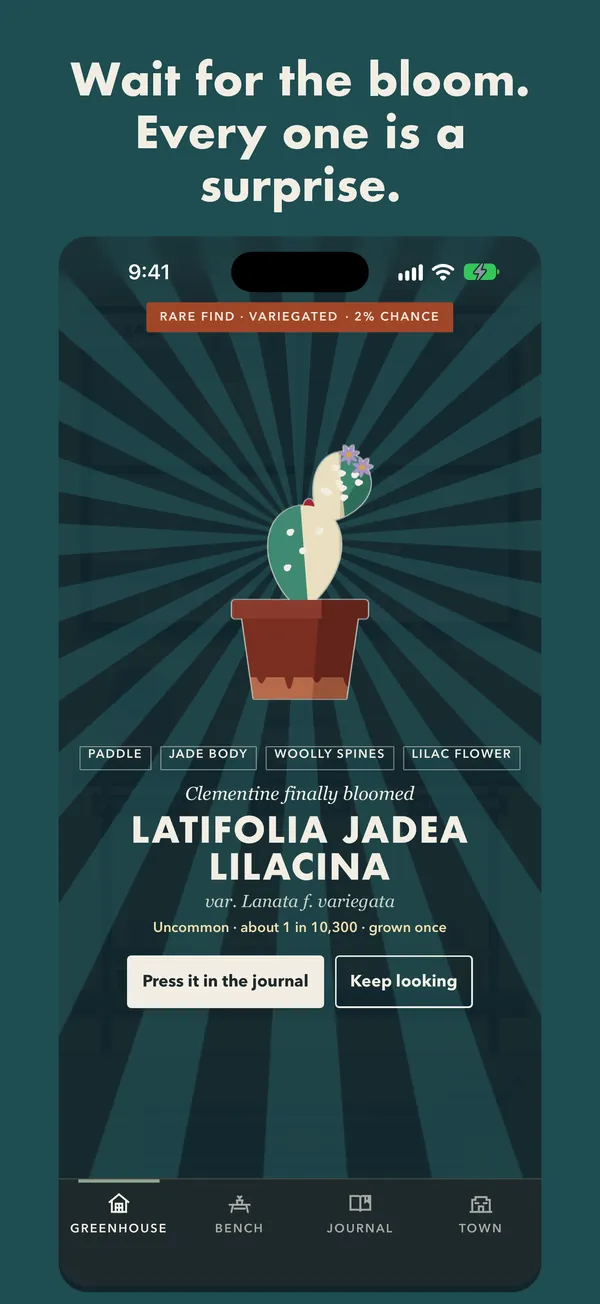
When a cactus blooms, you finally see what you bred. Every cactus gets its own name, like Globosa Olivina Rubra.
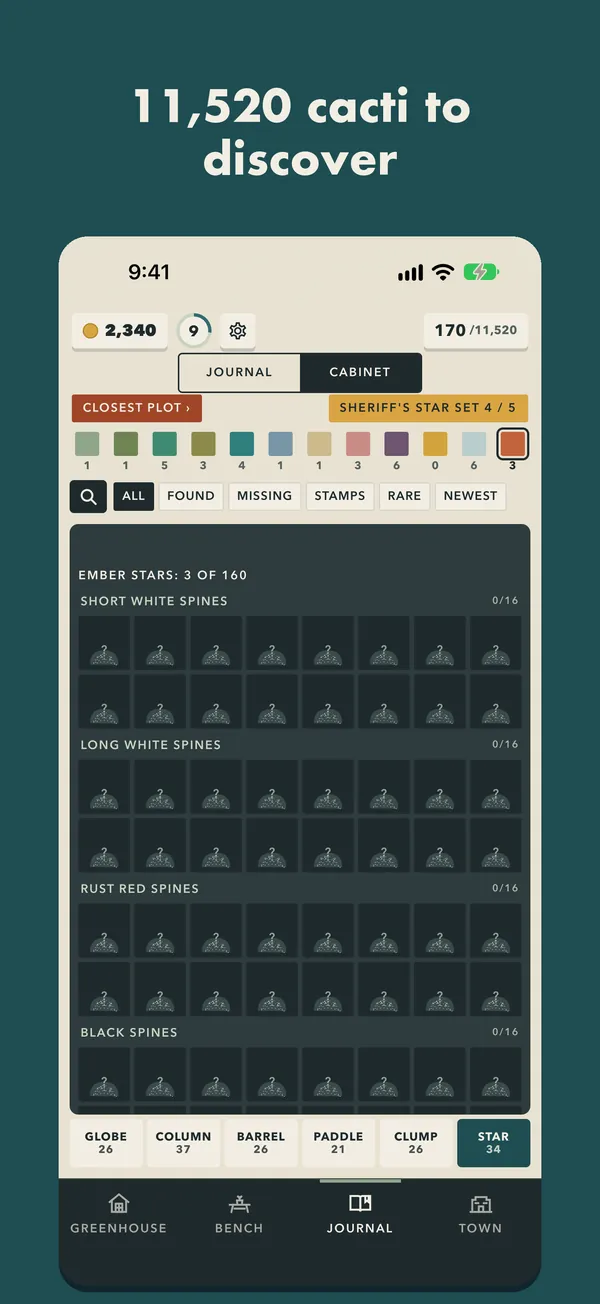
Every new cactus goes into your Journal. Fill it one collection set at a time.
Breed & discover
Every cactus is a mix of four traits: shape, body color, spines and flower. Cross two and see what blooms.
6 × 12 × 10 × 16 = 11,520 combinations.
Two rare forms can appear on any cactus: Variegated (2%) and Cristate (1%).
The Breed screen shows the same table the game rolls on. The full table is in Settings, under The odds. There are no random paid items.
Real time
The desert follows your own clock and the real calendar.
Day and night follow your own clock. Cacti grow faster under the night sky, so it's worth a peek before bed.
The seasons follow the real calendar, with weather to match.
Cacti rest in winter. After a frost night, every mature cactus blooms in the frost at dawn.
Dry Gulch
Dry Gulch is a sleepy little frontier town with a very good greenhouse.
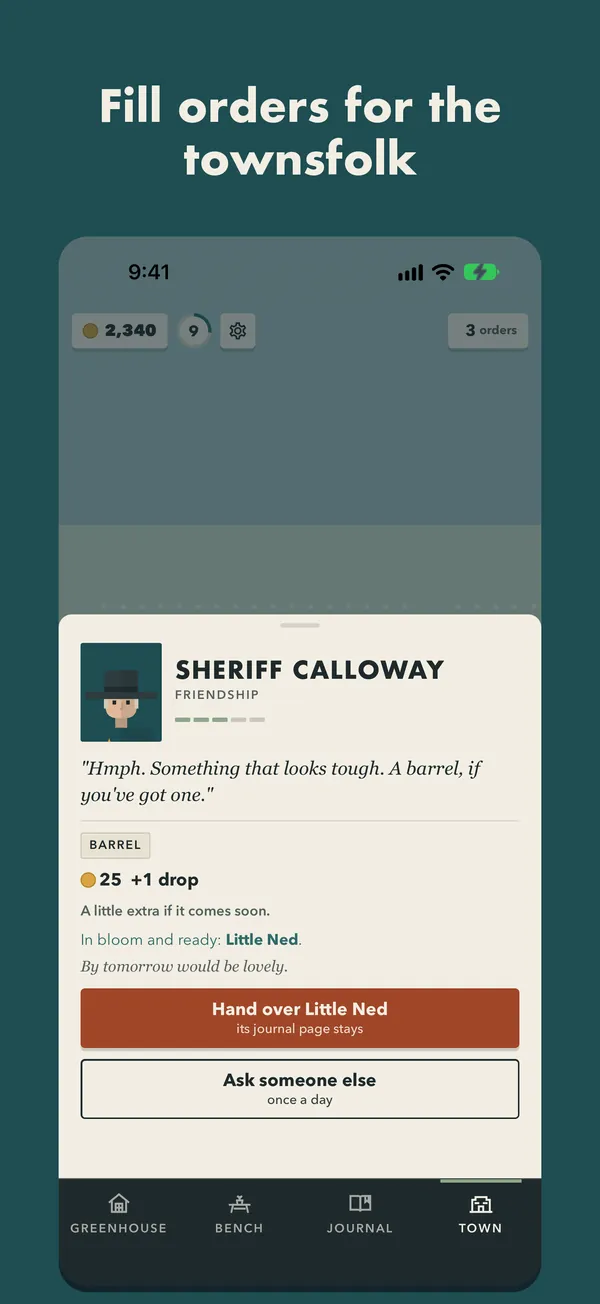
Fill orders for Sheriff Calloway, Miss Rosa and the rest of Dry Gulch. Orders in winter last five days, so there's no rush.
The wagon rolls into town on its own schedule. If your phone's clock goes backwards, it waits until the date catches up.
Free to play, fairly
The full game is free. There are no energy timers, no pay-to-skip and no loot boxes. Everything below is optional, bought once through Apple, and shared with your Family Sharing group.
A one-time upgrade:
An optional cosmetic pack to dress up your greenhouse.
An optional cosmetic pack: a new look for your greenhouse.
All purchases live in Settings (the gear at the top of every screen), along with Restore purchases.
Good to know
Settings, saves and privacy at a glance.
Your greenhouse is saved on your phone only. Pocket Cactus collects nothing and needs no account. See the privacy policy.
The whole game ships inside the app. It plays offline and makes no connections of its own.
Optional. If you turn them on, you get a note when something blooms or a seed pod is ready. Turn them off in the game's Settings at any time.
FAQ
Tap a question to open it.
Yes. Growth follows real time and your own clock. Open the app and everything has caught up, up to a week away.
No. A thirsty cactus just waits for water. Nothing is ever lost.
Yes. The bench shows the same table the game rolls on. Rare forms are Variegated (2%) and Cristate (1%); the full table is in Settings, under The odds.
Cacti rest in winter and don't build toward a bloom. After a frost night, every mature cactus blooms in the frost at dawn. Orders in winter last five days, so there's no rush.
When the clock goes backwards, the wagon waits until the date catches up. Your plants are fine.
Open Settings (the gear at the top) and tap Restore purchases. The Ranch Deed and packs are shared with your Family Sharing group too.
You keep the extra pots, every pot you bought and everything you grew. The hired hand, the Rare Seed Stall and the third bench go back to town, and the greenhouse can't grow past the pots you already have.
Your greenhouse is saved on the phone. An iPhone backup or a direct transfer to a new iPhone brings it along.
Still stuck?
Write to [email protected]. Say which iPhone and iOS version you have, and what you saw.